
Calculate LED video wall power, weight, processors and ports.
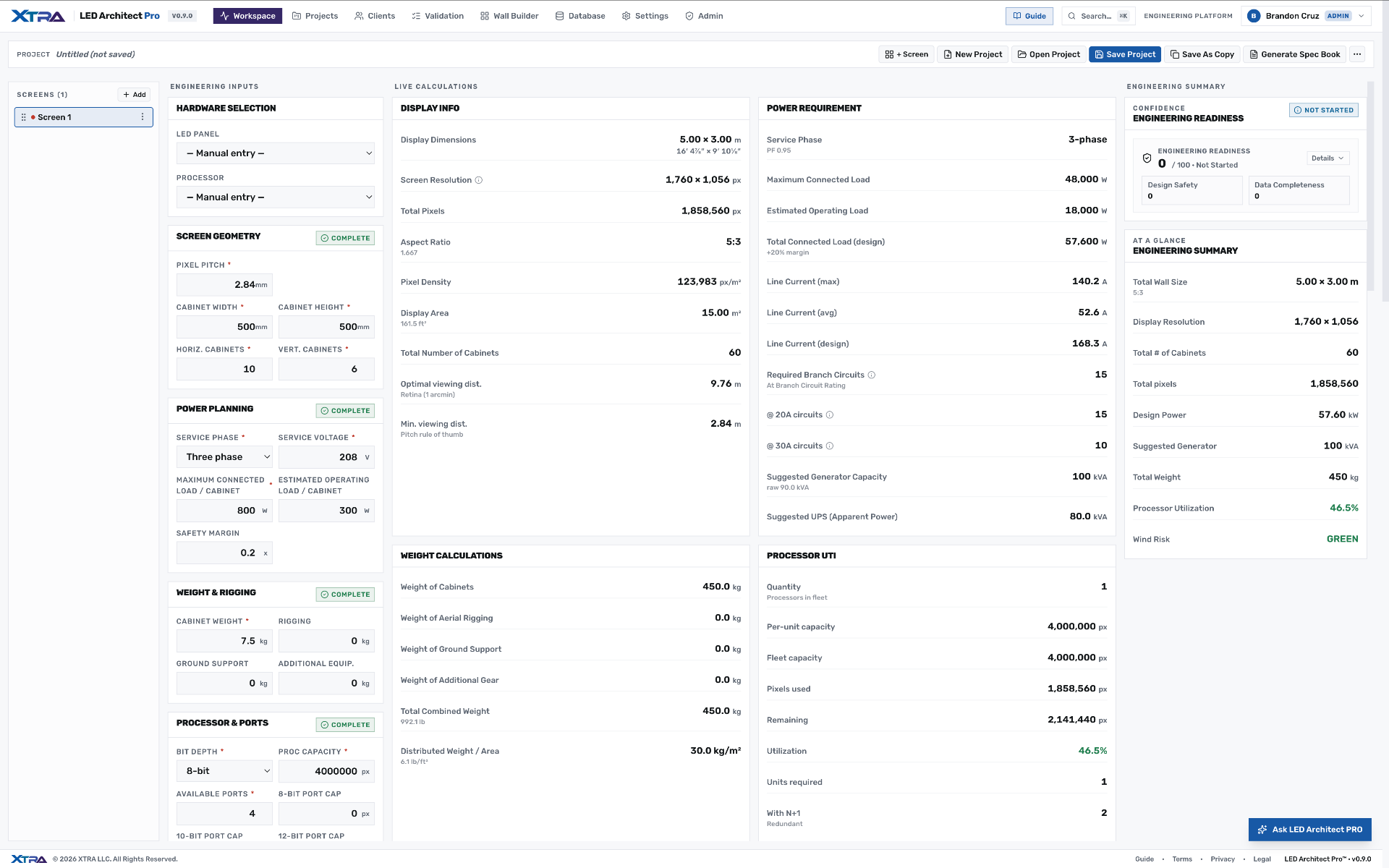
Enter pixel pitch and cabinet count. LED Architect Pro returns wall resolution and viewing distances, amps per phase with 20A/30A circuit counts, weight per square metre, wind load, cable runs and processor port utilization — recomputed live and exported as a signed engineering spec book.
New to the math? How to calculate LED wall resolution · User manual · LED panel & processor database
- 7
- Engineering modules
- 0
- Spreadsheets
- 1
- Click to spec book





Every number, the moment you change an input.
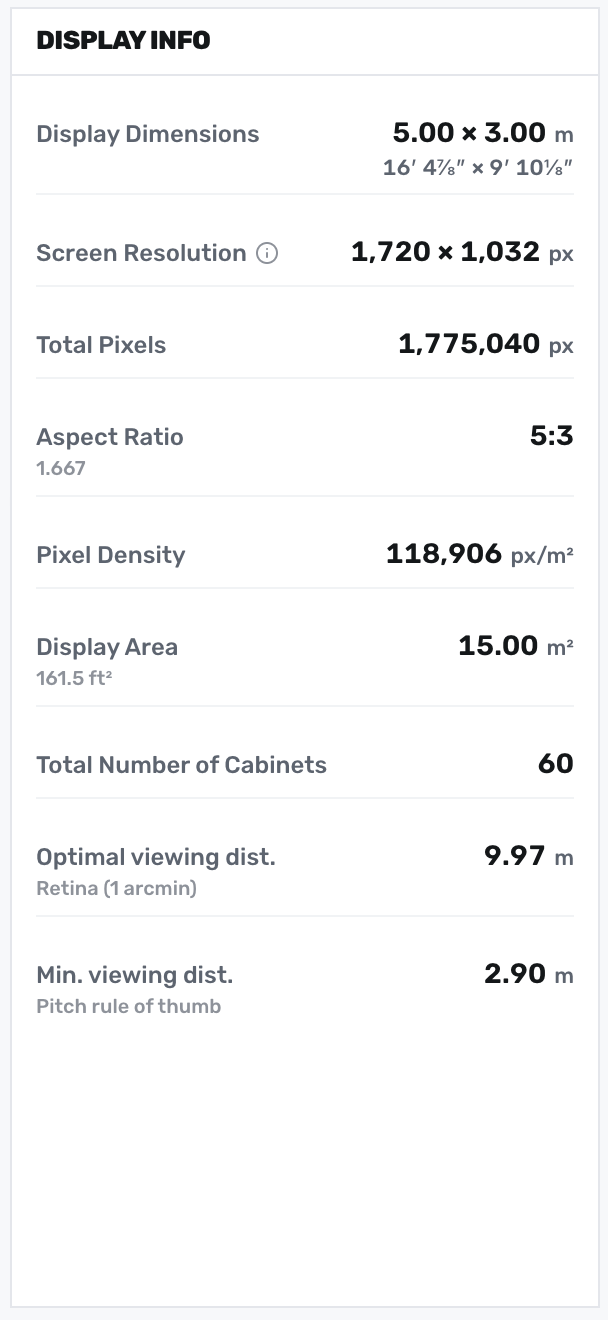
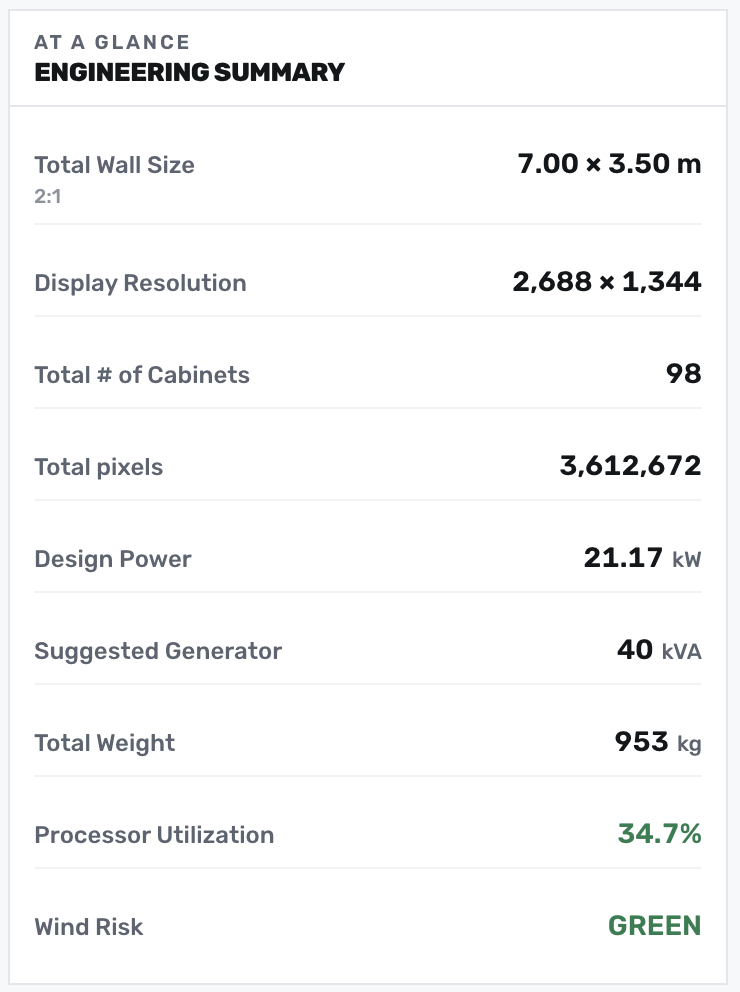
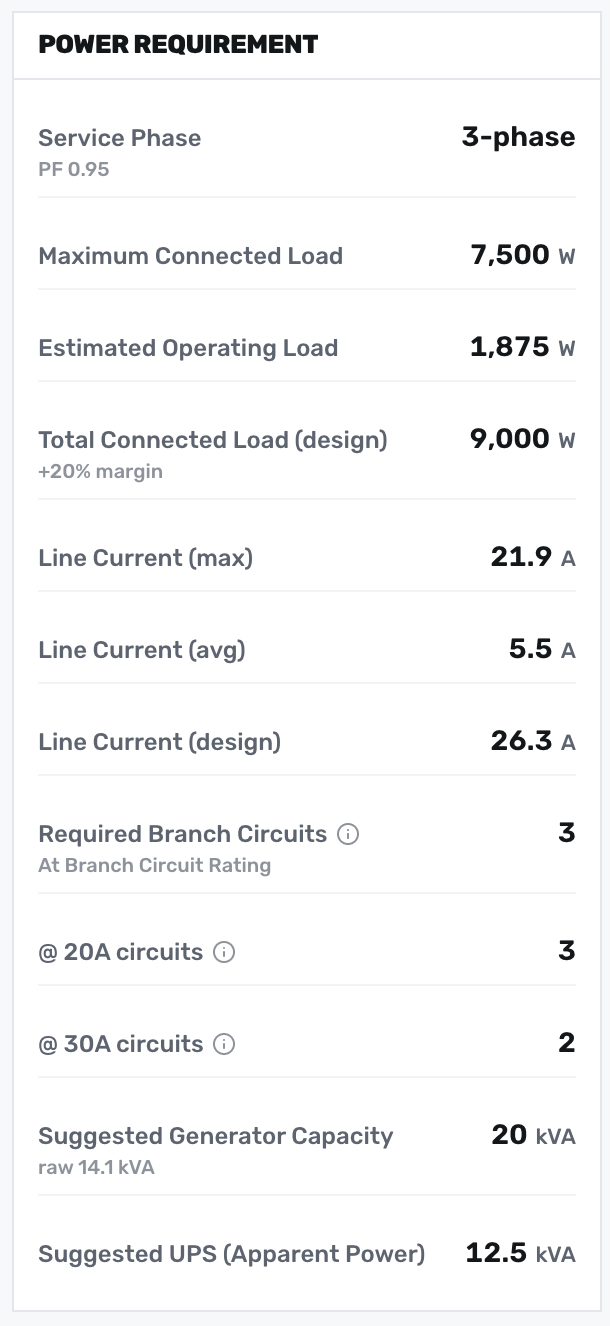
Set pitch, cabinet count and processor — Display Info, Power Requirement and the At-a-Glance summary recompute in the same frame. No spreadsheets, no stale numbers, honest 'not specified' semantics when a value hasn't been set.
- Resolution, aspect ratio, pixel density and viewing distances
- Max / avg / design load with 20A and 30A circuit counts
- Suggested generator and UPS capacity, wind risk, weight per m²
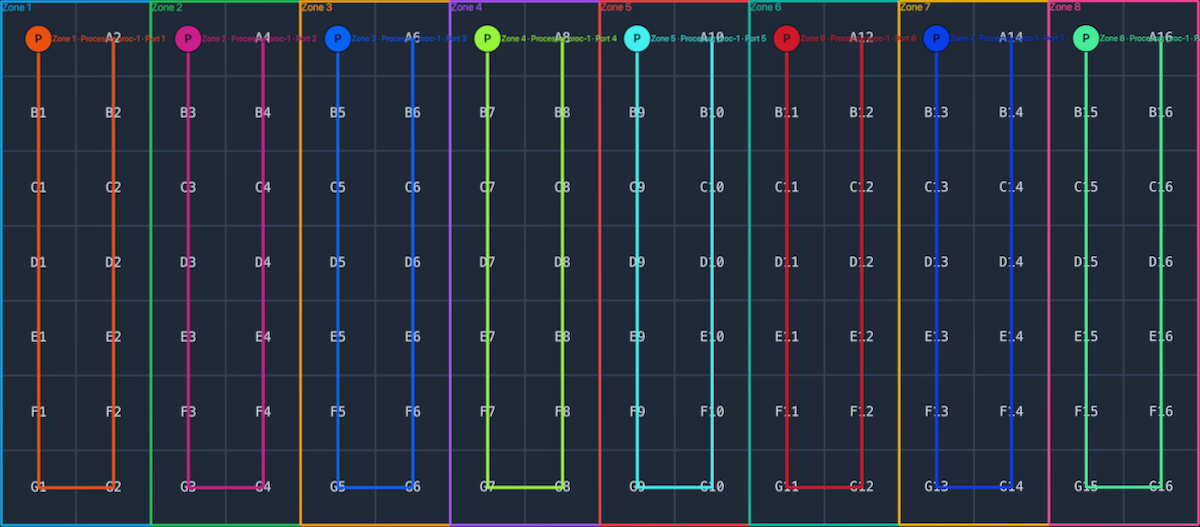
Zones, ports and cable paths — right on the wall.
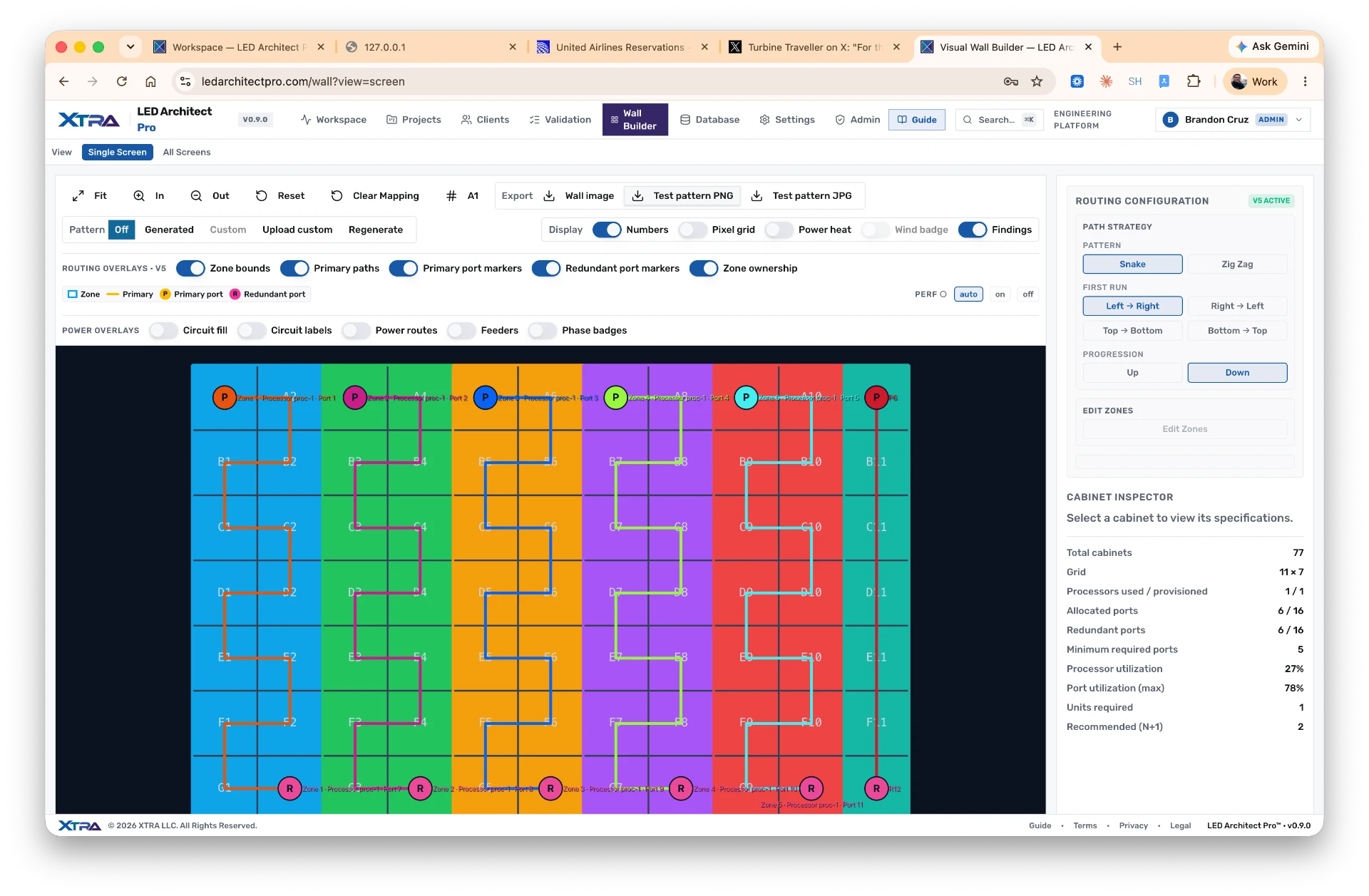
Draw or auto-generate zones. The router walks the wall with your chosen pattern (snake or zig-zag), assigns primary ports, and paints color-coded routes cabinet by cabinet. Export a labeled wall map the crew can actually read on load-in.
- Snake or zig-zag, first-run direction and progression per project
- User-defined zones with drag-to-resize, right-click primary port
- Color-matched primary/redundant paths, exportable as PNG
Circuit-level power, painted on the wall.
Phase, voltage and power factor drive a full three-phase balance — then the power map paints it: circuit fills, labels, chain routes, AC-entry markers and phase badges, cabinet by cabinet, with the 20% NEC margin applied automatically.
- Row-based or zone-based distribution with per-circuit routing
- Circuit fill, AC-entry marker and phase-badge overlays, toggled independently
- Overload and no-power findings surfaced before the generator is ordered
Seven engines. One source of truth.
Every number on screen is produced by a dedicated engine reading verified vendor data — recomputed in the same frame you change an input, and traceable back to its source.
EKB capacity engine
Bit-depth-correct pixels-per-port from verified NovaStar, Brompton, COEX, HELIOS and Colorlight profiles — port math that matches the datasheet, not a rule of thumb.
ISRE signal router
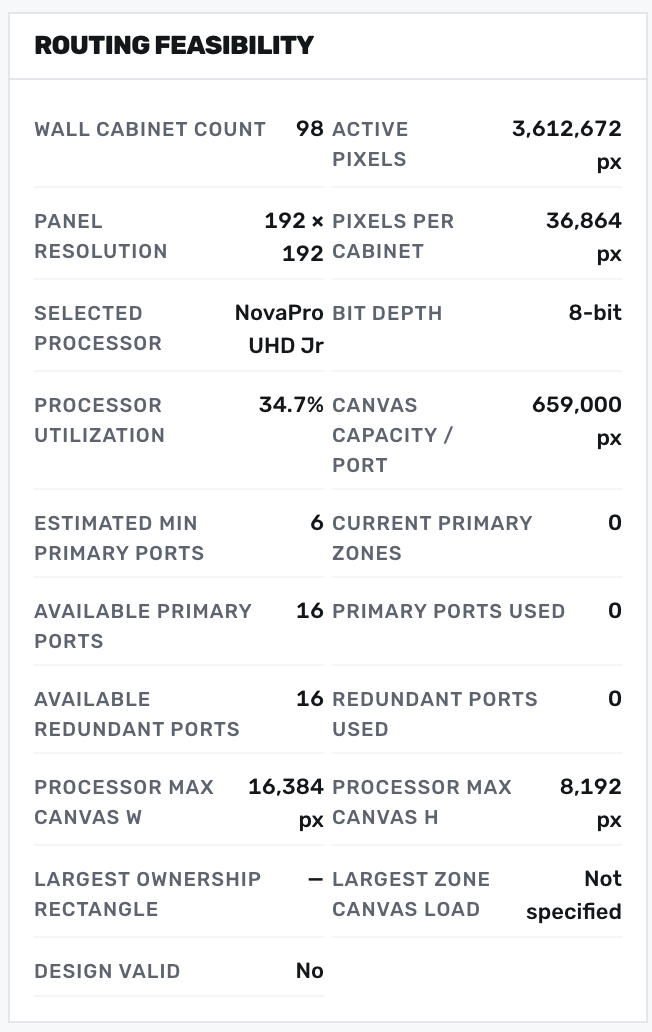
Walks every cabinet, enforces rectangular ownership and balance tolerances, and proves the routing feasible — hours of port mapping resolved in one pass.
3-phase power engine
Connected load, per-phase current and branch-circuit counts with the 20% NEC margin applied — the spreadsheet you no longer maintain.
Weight & wind engine
Rigging loads per point and wind risk from site exposure — flagged before the steel is booked, with honest 'not specified' semantics.
Cable calculator
Run distances checked against per-media maximums — SDI, HDMI, Cat6, fiber — so a 15 m HDMI run gets caught at the desk, not at load-in.
Readiness scoring
Design safety and data completeness rolled into one 0–100 score — a wall isn't 'probably fine,' it's 93/100 with the gaps named.
Spec book generator
The whole engineering picture — inputs, findings, wall maps — exported as a signed PDF in one click instead of an afternoon of copy-paste.
Vendor-verified capacity, port math that matches the datasheet.
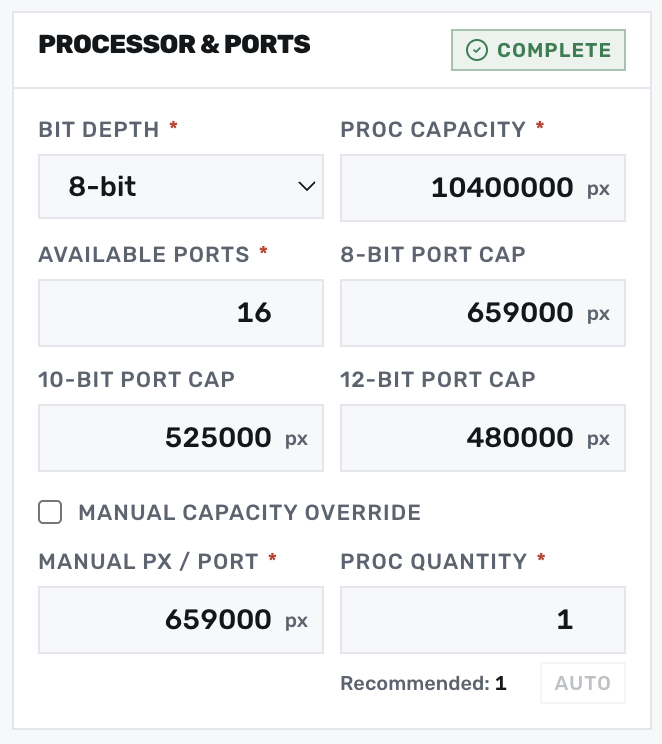
The EKB capacity engine reads verified vendor profiles — NovaStar, Brompton, COEX, HELIOS, Colorlight and MegaPixel VR — and forces bit-depth-correct pixels-per-port. Utilization and minimum required ports follow automatically.
- Bit-depth-aware port capacity (8/10/12-bit) from vendor EKBs
- Available vs required primary and redundant ports, side by side
- Confidence and provenance chips on every derived value
One canvas for routing, power, patterns and inspection.
Toggle V5 routing overlays, power fill, AC-entry markers and phase badges independently. Configure path strategy (snake or zig-zag), first-run direction and progression from the side rail. The Cabinet Inspector reads live totals — cabinets, allocated vs redundant ports, processor utilization, minimum required units and configured backup units — as you edit.
- Independent overlay toggles: zone bounds, primary/redundant paths, port markers, ownership
- Power overlays for circuit fill, labels, chain routes, AC-entry markers and phase badges
- Cabinet Inspector with live totals, port utilization and configured backup units
- Export wall image, generated or custom test patterns as PNG/JPG
Native-resolution test content, exported for the crew.
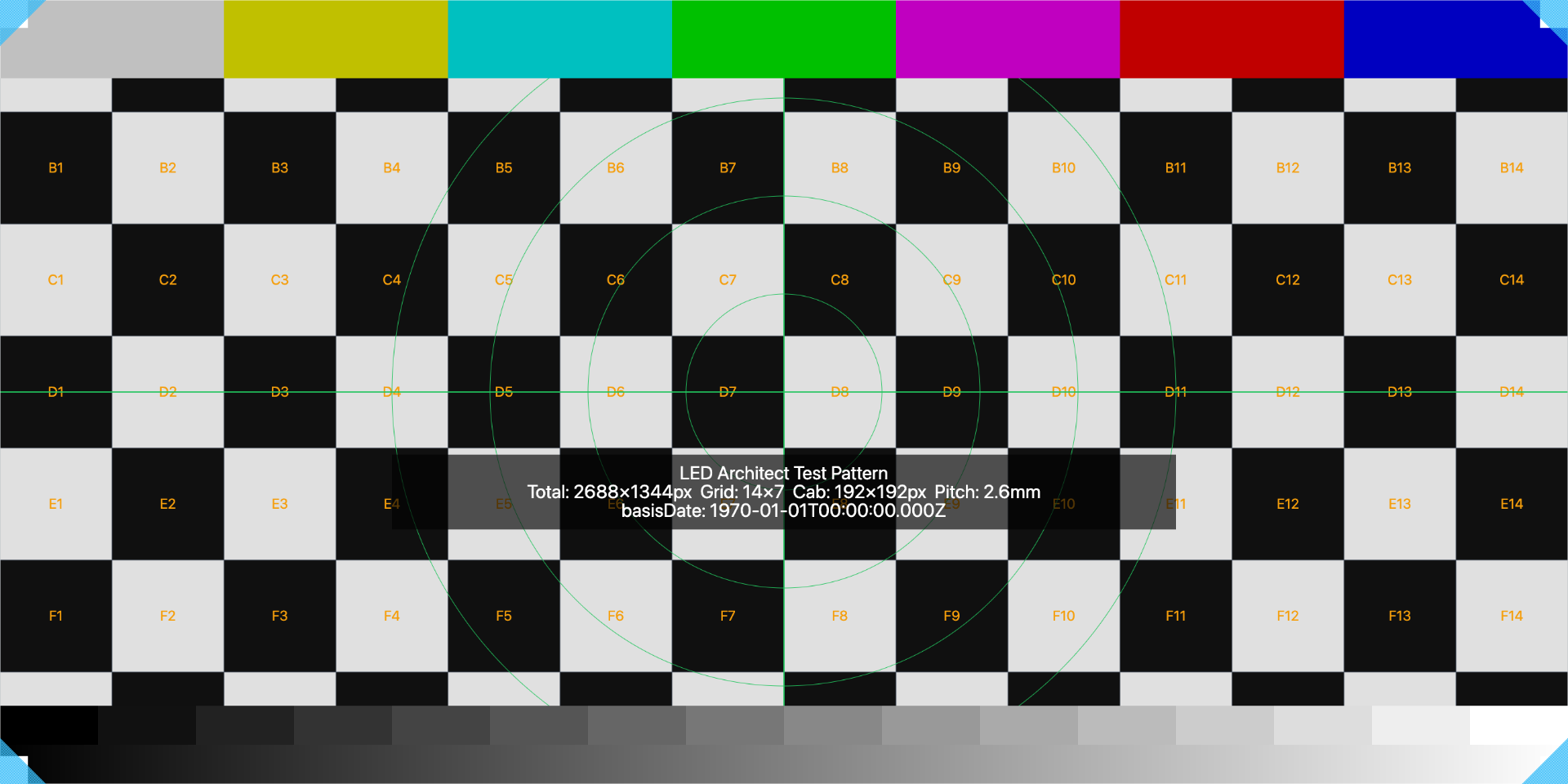
Generate deterministic checkerboards with cabinet IDs, grayscale steps, color bars and crosshair references — sized to the wall's native pixel canvas so panel-fit issues surface before doors open. Upload custom patterns too.
- Cabinet-resolution grid with row/column labels for quick diagnosis
- 16-step grayscale, color bars and centered geometry references
- PNG/JPG export at native pixel dimensions, or bring your own image
Spec your next wall with confidence.
Join the production crews engineering LED video walls the fast, verifiable way.